Publish a file or a site. Get a live URL.
Upload and publish yourself, or from ChatGPT or Claude without leaving chat. Same live URL anyone can open.
Your work. Online. Instantly.
Share a PDF, a static site, or a photo set. They open your link - nothing to install or sign into.
Two paths. One live URL.
Same upload and publish either way. Stay in ChatGPT or Claude, or use the browser. Recipients just click.
Publish
Upload yourself, or from chat
Drop a file in the dashboard, or connect MCP and ask ChatGPT or Claude to upload and publish it.
URL
Get a live link
You get a live *.drophost.space link, usually in seconds.
Share
Paste it. They just open it.
Recipients open the link in a browser. Replace the file anytime. Same link.
See what people publish
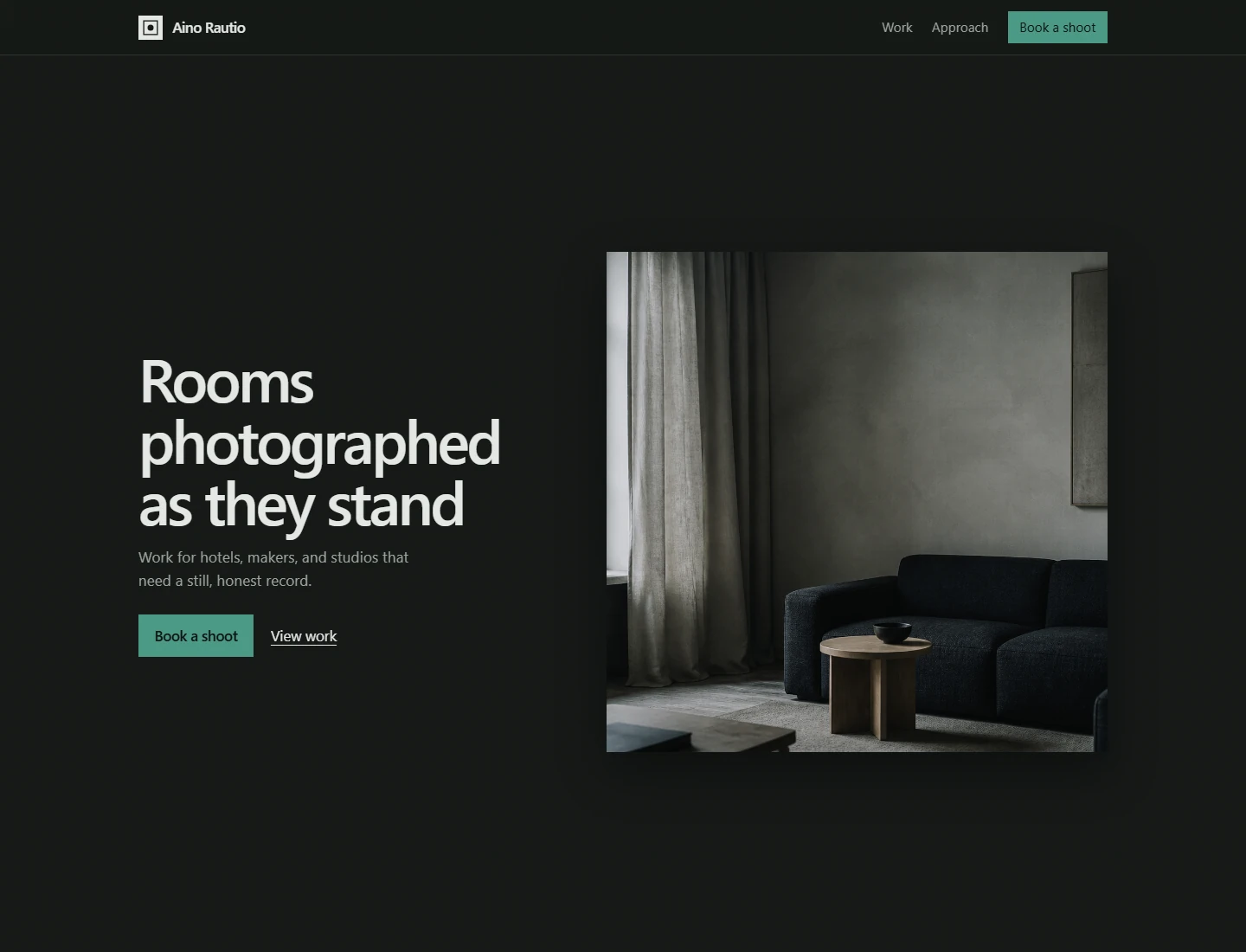
Interior photography by Aino Rautio, live on a drophost subdomain.
Do it yourself
Instant share, static sites, passwords, domains, replace-anytime URLs, and agent publish — without a complicated hosting setup.

Instant share links
Files and static sites go live when the upload finishes. No build pipeline, no processing screens.
Host a static site
landing-page.drophost.space
Start blank in the editor, paste HTML, or drop a zip. It goes live on a drophost subdomain.
Publish from ChatGPT or Claude
Connect MCP once. Ask in chat to upload and publish. You never leave the conversation.
Password protect
Lock a private handoff before you send it to a client.
Custom domain
Connect your domain from €5/mo on Starter or Pro.
Edit or replace
Tweak HTML, CSS, and JS in the browser, or upload a new file. Same link.
Yes. Publish without leaving chat.
Connect drophost MCP once. Then ask ChatGPT or Claude to upload and publish. You get a live URL.
Connect once in Settings
Paste the MCP URL into ChatGPT or Claude and sign in.
Ask in chat. Stay in chat.
Your agent uploads, publishes, and returns the live URL.
Same link as a browser upload
Durable, replaceable, optional password.
Stay in ChatGPT or Claude
Ask once. Get a live drophost URL back. Recipients just click.
Yes, drophost is for you
Sales decks, portfolios, client handoffs, homework, prototypes - if you need a link today.
See all use casesPretty good. Easy way to share files when needed.
Start free on drophost. Upgrade when you need more.
drophost password protection and custom domain from €5/mo on Starter.
Free
Quick links for sites, Word, text, images, and small PDFs.
- 1 project
- 2 MB per project
- PDFs up to 0.5 MB
- HTML sites + browser editor
- Word, text, images
- MCP publish included
- drophost branding banner
- drophost.space link
Starter
or €50/year
Larger PDFs, custom domain, password, analytics.
- 8 projects
- 100 MB per project
- Larger PDF sharing
- Remove branding
- Password protection
- Basic analytics
- Custom domain
- MCP publish included
Pro
or €120/year
More room for freelancers sharing regularly.
- 30 projects
- 500 MB per project
- Everything in Starter
- MCP publish included
Frequently asked questions
File types, static sites, the browser editor, MCP, plans, and what recipients see when you send a drophost URL.
What files can I share?
HTML pages, static-site zips, Word, images, text, Markdown, and CSV on every plan. Start blank sites and edit HTML, CSS, and JS in the browser. Free includes PDFs up to 0.5 MB; larger PDFs are on Starter and Pro.
Can I host a static website?
Yes. Start from a blank site in the editor, paste HTML, or drop a zip with index.html. The site goes live on a drophost.space subdomain as HTML, CSS, and JavaScript. There is no PHP or Node runtime for your site.
Can I edit files in the browser?
Yes for HTML, CSS, JavaScript, Markdown, and other text files. Open the Editor tab on a project, change the file, and save. The live URL stays the same. PDFs, Word, and images are updated by uploading a replacement file.
Can I publish files without leaving ChatGPT or Claude?
Yes. Connect drophost MCP once—paste the URL into ChatGPT or Claude, sign in when prompted, then ask it to upload and publish. It returns a live drophost URL. Recipients just open the link. They do not need an AI tool.
How do I connect ChatGPT or Claude to drophost?
Sign in, open Settings → Agent publish, copy the MCP URL, and paste it into your client. Sign in when prompted. For scripts and automation, create an API key instead. Step-by-step setup is on /mcp.
What does my agent actually do?
It uploads and publishes through drophost MCP, then replies with the public URL. It does not paste the file into chat.
Do I need MCP to use drophost?
No. MCP is optional. You can upload and publish in the browser the same way.
Do recipients need Claude or ChatGPT?
No. The link is a normal webpage. Recipients just open it in a browser.
Is the link temporary?
No. It stays until you delete the project. No quarterly login required to keep it online.
Can the agent update the same link?
Yes. Publish again to the same project; the URL does not change.
How is this different from agent-to-agent file tools?
Those move files between agents. drophost publishes something a person can open in a browser.
Do recipients need an account?
No. Anyone with the link can open it in a browser. Add a password on Starter or Pro if the file should stay private.
Is drophost free?
Yes. Free covers one project, 2 MB of storage, HTML sites, Word, text, images, and PDFs up to 0.5 MB. MCP publish is included on every plan. Starter is €5 a month or €50 a year for larger PDFs, passwords, a custom domain, and more room.
How is this different from Drive or WeTransfer?
Drive is a folder with permissions. WeTransfer is a one-off send that often expires. drophost is a durable URL for a file or a static site.
Can I use my own domain?
Yes on Starter and Pro. Free links live on a drophost.space subdomain, such as studio.drophost.space.